
THE GEAR ROOM / CREATOR AUDIO / PRACTICAL BUYING GUIDE
A USB microphone can be ready to record within minutes. An XLR microphone usually means more equipment, more controls and more cables. So why do people upgrade? For gamers, streamers and new podcasters, the useful question is not which connector sounds more professional. It is which recording setup solves the problems you actually have.
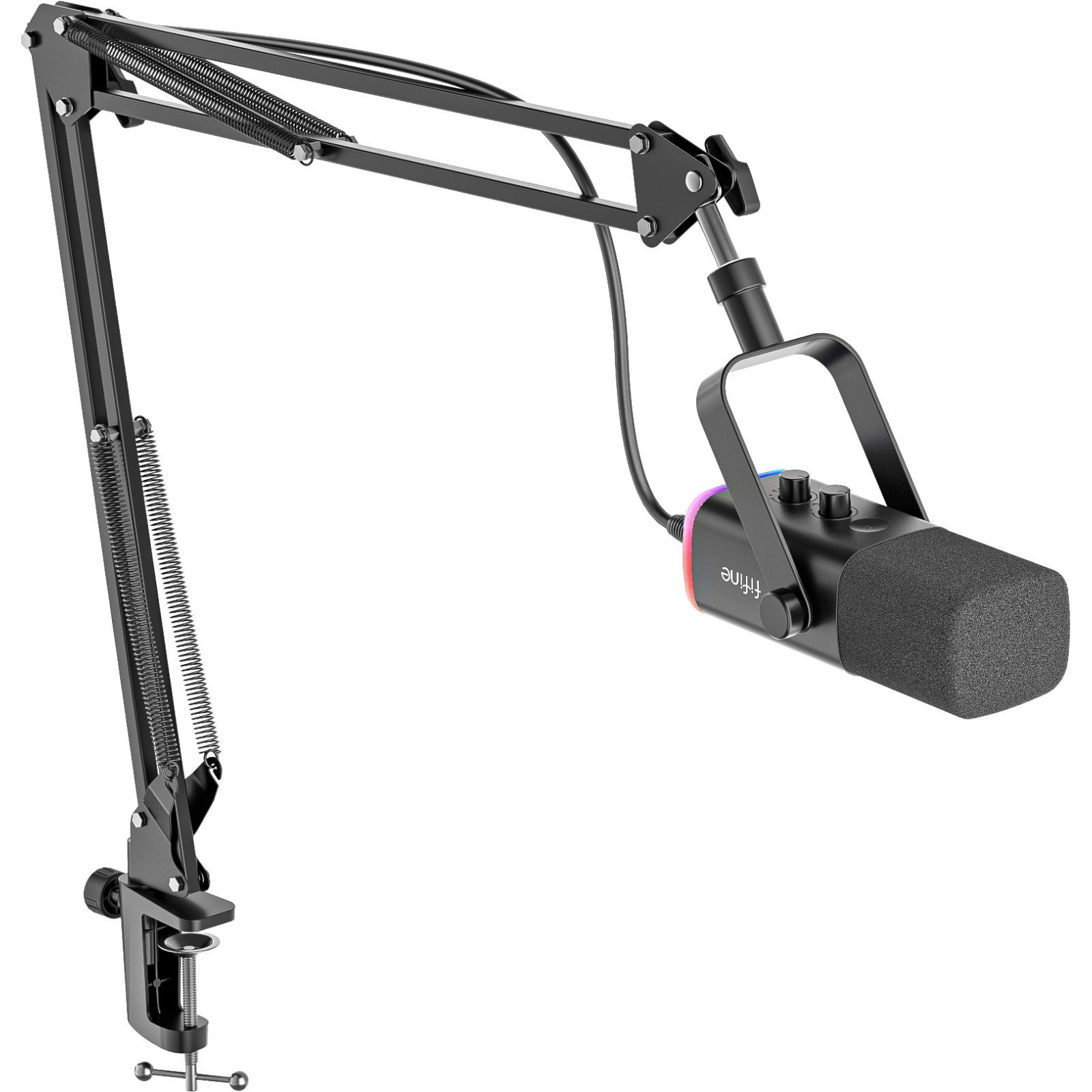
At Coloured Static Press, we have a useful reference point: our long-term review of the FIFINE AmpliGame AM8T. The dynamic cardioid microphone and its boom arm have been used for podcasting and everyday voice recording. Crucially, the model offers both USB and XLR connections. That does not mean we have published a controlled audio comparison between those two outputs; it means we know the practical value of a dual-connection microphone from using it in a real desk setup.
USB vs XLR: the difference in one minute
| Question | USB microphone | XLR microphone |
|---|---|---|
| What connects to the computer? | The microphone plugs into a compatible USB port. | An XLR cable plugs into an interface or mixer, which connects to the computer. |
| Extra hardware? | Usually none for a single voice. | Usually an audio interface or mixer, plus an XLR cable. |
| Main attraction | Easy setup and often built-in monitoring or mute controls. | Flexible routing, multiple microphone inputs and independent gain controls. |
| Potential downside | Some USB features and processing depend on the specific mic or software. | More cost, desk space and setup decisions. |
| Best starting point | One-person gaming, streaming, voice chat or a first podcast. | Multiple local speakers, an existing interface or a growing recording setup. |
Neither connection type guarantees better audio by itself. Microphone capsule, pickup pattern, distance from the voice, gain staging, room noise, interface quality and processing all contribute. A poorly positioned expensive XLR microphone can sound less intelligible than a well-positioned budget USB model.
Where USB makes the most sense
For a single person recording at a gaming PC, USB is often the sensible choice. It combines the microphone with the electronics needed to produce a digital audio signal that a compatible computer can recognise. You avoid buying an external interface before knowing whether you enjoy streaming, recording a podcast or making videos.
The FIFINE AM8T illustrates that appeal. In its USB mode, FIFINE provides an on-microphone mute control, RGB lighting, gain adjustment and headphone monitoring. The brand’s documentation also says those integrated functions are not available in XLR mode. That is an important detail because switching connector types does not necessarily preserve the same day-to-day controls.
Our AM8T review scored it 85/100 based on regular recording use, positioning convenience and overall value. The reviewed kit includes a boom arm that helps place the microphone close enough to the speaker without leaving a stand in the middle of the desk.
A convenient USB setup still needs care
- Place the microphone deliberately. With a directional speech mic, talking towards the correct end and maintaining a consistent distance usually matters more than adding elaborate filters.
- Set gain while talking normally. Avoid recording excessively quietly or driving the input so hard that the signal clips.
- Use headphones to check the result. Listen for keyboard noise, fan rumble, echo, plosives and changes in voice level.
- Record a short test. The game, streaming platform or recording app may be listening to a different input from the one you expect.
- Understand platform support. USB audio compatibility is not universal across every console, phone or application. Check the mic’s supported-device list.
Where XLR earns its extra complexity
An XLR microphone normally sends an analogue, balanced microphone-level signal to a suitable preamp. A USB audio interface then handles preamplification and conversion for the computer. Manufacturers such as Focusrite document interfaces with independent microphone gain, headphone monitoring and 48V phantom power for microphones that require it.
This becomes valuable when you need two or more separate voices in the same room, physical input controls, different microphones, or flexible routing into a mixer. It can also make repairs and upgrades more modular: you may change the interface without replacing the microphone, or swap microphones without changing your recording workflow.
But a typical XLR setup needs an interface with a suitable microphone input and enough clean gain, an XLR cable, and any accessories the microphone requires. If you are recording one voice into a computer and already like how it sounds, the purchase may solve no immediate problem.
What does 48V phantom power do?
Some microphones, particularly many condenser designs, require phantom power from the preamp or interface. Many conventional dynamic microphones do not. Not every microphone can safely receive it, particularly some older or unusual ribbon and unbalanced designs, so follow the specific microphone and interface manuals rather than switching 48V on by habit. An XLR socket alone does not tell you what power a device needs.
What changes with a dual USB/XLR microphone?
A model such as the FIFINE AM8T gives a sensible upgrade path. You can begin with direct USB recording, learn microphone placement and gain, then add an audio interface if your needs become more involved. FIFINE confirms that its AM8T needs a separate XLR cable for that mode, and the mic’s USB-specific function keys and lighting do not work over XLR.
That last caveat is particularly useful for anyone drawn to the microphone because of its simple mute button. In an XLR setup, muting and monitoring may need to happen on the interface, mixer or in software. The microphone hasn’t necessarily become better or worse, but the controls move elsewhere.
The money question: what should you buy first?
- Mostly Discord, voice chat or occasional streaming: a reliable USB microphone, good placement and headphones are a strong starting point.
- Solo podcast or video essay: a USB dynamic microphone with sensible monitoring and a stable arm is often enough. Treat your room before assuming you need expensive electronics.
- Two people recording in one room: consider an interface or mixer that can capture two independent microphones. Check its actual input count, not simply its number of sockets.
- Changing microphones regularly, recording instruments or running a complex live mix: XLR and a suitable interface can justify their added cost and flexibility.
- Unsure whether you’ll need XLR later: a dual-output microphone is a practical compromise, provided the USB and XLR modes both meet your needs.
What our own desk setup has taught us
The lasting lesson from our FIFINE AM8T review isn’t that one connector wins. It’s that consistent microphone position and a recording routine you can live with matter. The included boom arm has been useful in regular recording, and the option to move to XLR remains there without forcing an immediate equipment change.
A sensible creator setup also needs monitoring. Our separately reviewed FIFINE H8 wired headphones provide a practical example of inexpensive headphones used for podcast monitoring. A well-chosen wired pair can be more useful to your workflow than buying another microphone before you’ve listened carefully to what you’re capturing.
If you already own a microphone that produces clear, dependable voice recordings, don’t upgrade just for a different connector. Upgrade when you need more inputs, different routing, better controls, more reliable monitoring or a feature your existing device genuinely lacks.
Primary sources and disclosure
- FIFINE: AM8T official specifications and USB/XLR mode limitations.
- Focusrite: interface microphone inputs, gain and phantom power.
- Focusrite: phantom-power precautions.
- Shure: creator microphones and USB/XLR configurations.
- Shure: microphone placement for spoken-word recording.
Editorial disclosure: Research and manufacturer information checked 18 October 2026. First-hand context is drawn from our existing AM8T and H8 reviews. This guide is not a newly conducted USB-versus-XLR listening or latency test. The featured product photograph is the official manufacturer image of the FIFINE AM8T.