
THE GEAR ROOM / MONITOR BUYING GUIDE / FIRST-HAND SETUP CONTEXT
At 1440p, should you buy a 27-inch monitor or go bigger with a 32-inch screen? There is no automatic winner, and the specification sheets can obscure the biggest difference. Both can offer the same 2560 × 1440 resolution, but those pixels are spread across differently sized panels. The 27-inch looks sharper at the same viewing distance; the 32-inch puts a larger image in front of you. Which matters more depends on how and where you play.
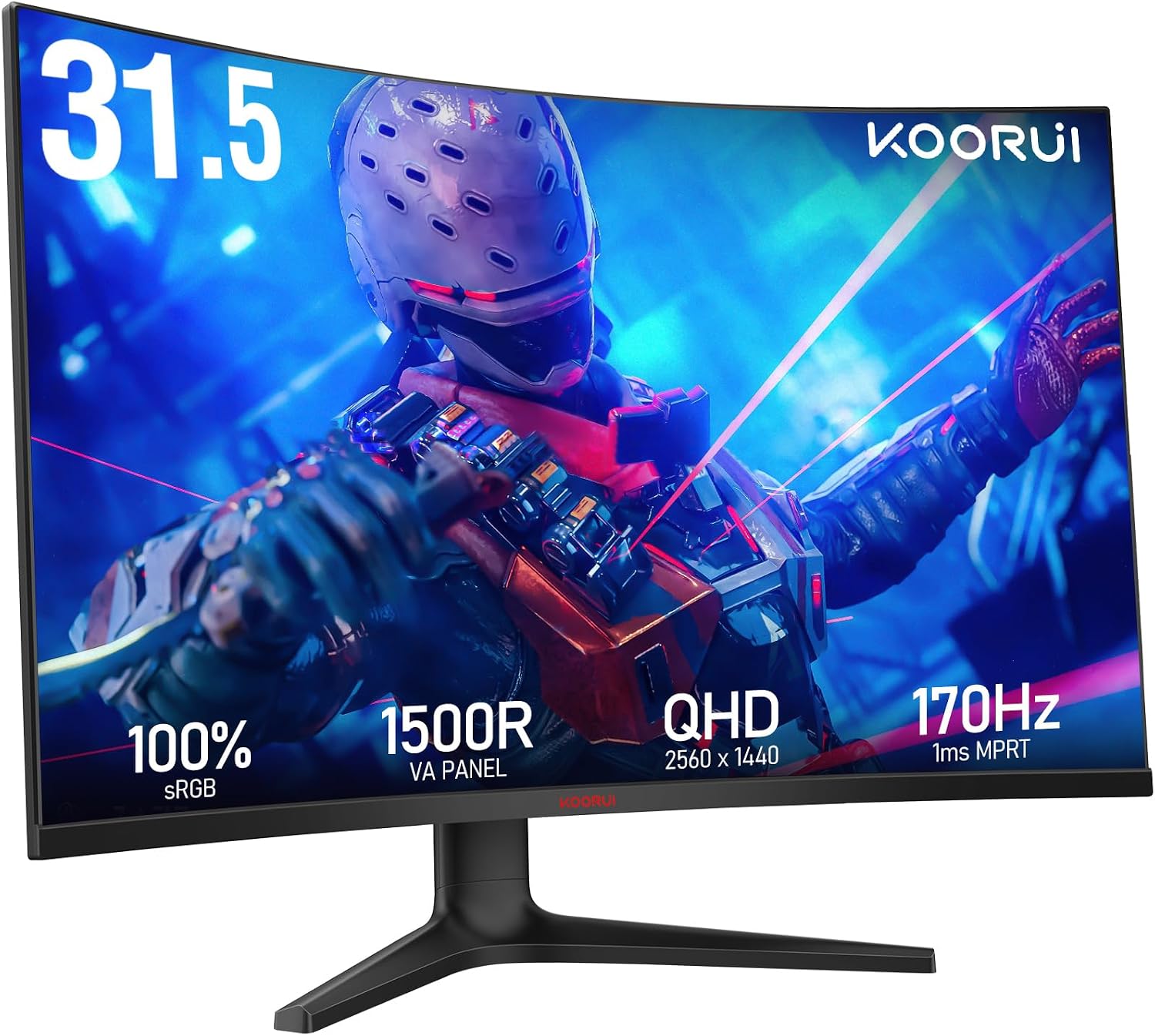
We have unusually useful experience for this comparison. Our existing long-term reviews cover a 32-inch KOORUI curved 1440p display as the main gaming screen and two 27-inch KOORUI 27E6QCA curved monitors alongside it. The central display was awarded 85/100; the two smaller screens were awarded 81/100. Those are verdicts on the individual products, not proof that all 32-inch monitors outperform 27-inch ones.
The numbers that explain the difference
| At 2560 × 1440 | 27-inch panel | 31.5-inch panel (often sold as 32-inch) |
|---|---|---|
| Resolution | 3.69 million pixels | 3.69 million pixels |
| Approximate pixel density | 109 pixels per inch (PPI) | 93 pixels per inch (PPI) |
| Physical size | Smaller picture and footprint | Larger picture and footprint |
| Typical trade-off | Finer desktop text at equal viewing distance | Larger image; individual pixels are more spread out |
Pixel density is calculated from the diagonal pixel count divided by panel size. For 2560 × 1440, the pixel diagonal is about 2,937 pixels. That makes a 27-inch panel about 109 PPI; a 31.5-inch panel about 93 PPI; and a true 32-inch panel roughly 92 PPI. Some products marketed as ’32-inch’ have a 31.5-inch viewable diagonal, so compare the manufacturer’s actual panel dimensions.
The bigger monitor does not give the GPU extra 1440p pixels to render. At the same 2560 × 1440 game resolution, both displays require the same base image pixel count per frame. Games may perform differently for other reasons such as settings or refresh targets, but screen size alone does not turn 1440p into 4K.
Why 27-inch 1440p is such a sensible all-rounder
A 27-inch 1440p display strikes a useful balance between desktop sharpness, screen area and viewing comfort. Icons and text are relatively crisp at common desk distances because the pixels are more tightly packed. For competitive games, having the whole action visible without sweeping your gaze across a very wide panel can also be a preference, though that is subjective.
Our two KOORUI 27E6QCA monitors are rated at up to 180Hz and remain in regular use as secondary displays. Their job is browsing, reference material, work and communication beside the main gaming screen. In our long-term review, their clarity, consistency and value were positives. One limitation we reported was some dark-scene smearing associated with the VA panel. That matters more than simply reading ‘1ms’ from a box.
For a desk that also handles writing, spreadsheets, browser tabs, video editing or study, the smaller size and denser image may make 27 inches the better investment. A physically larger 1440p panel doesn’t create extra columns or more native pixels; you can adjust display scaling to change the apparent size of interface elements on either.
Why a 32-inch 1440p display can feel better for gaming
The case for 32 inches is straightforward: a more substantial gaming image at a familiar GPU workload. At a sensible viewing distance, the larger panel can make exploration, racing and cinematic games more absorbing. Our personally purchased KOORUI 32-inch curved monitor runs at up to 170Hz and remains the main screen in the Coloured Static Press desk setup. Its image, responsiveness and value earned a strong long-term verdict.
Our published review also acknowledges the sharper text you’ll normally get from a 27-inch 1440p panel. The 32-inch was preferred for our main gaming position at its usual viewing distance, not because it offers more detailed 1440p rendering. If you sit unusually close or spend long hours examining small fonts, you may notice that reduced pixel density more than we do.
Neither size is automatically superior in motion handling, contrast, HDR or input lag. Those depend on the specific display technology, electronics and settings. Inexpensive VA, IPS and OLED models can behave very differently even if their diagonal measurement is identical.
Desk depth changes the answer
The ideal monitor isn’t just a diagonal size. It is the monitor you can position comfortably while keeping your keyboard, mouse and chair where they belong. The US Occupational Safety and Health Administration suggests a general monitor viewing distance of roughly 50 to 100cm, with the display centred and its top at or slightly below eye level. This is an ergonomic range, not a guarantee that one specific diagonal is right for everybody.
A 32-inch panel takes up more of your visual field at the same distance. With a shallow desk, that may require more head or eye movement than you want. A monitor arm can help recover usable desk space and fine-tune position, but the arm, mounting pattern and desk itself must safely support the display. Our 27-inch KOORUI review noted limited adjustment on its standard stand, a practical detail easily missed in a spec comparison.
Does screen size change the gaming experience?
Competitive shooters
Some players prefer a 27-inch monitor because they can take in the picture at close range without large visual sweeps. Higher frame rate and low motion blur can be more useful than extra physical size. But an appropriate 32-inch screen can still be excellent for competitive play when positioned sensibly. Don’t treat esports preferences as a rule for every player.
Racing, RPGs and exploration
A 32-inch screen can make the environment feel more prominent without needing a larger 4K workload. Curvature may improve the subjective feel for some people sitting centrally, but curve radius and personal preference matter, and a curve does not improve the panel’s measured performance.
Writing, editing and everyday desktop work
At 1440p, 27 inches generally wins on pixel density. A larger screen can make text and interfaces appear physically bigger at the same scaling, which some people may prefer. For precise text edges or dense applications viewed up close, a 27-inch 1440p panel or a higher-resolution 32-inch alternative may be a more appropriate choice.
What about refresh rate and DisplayPort?
Our reviewed 32-inch KOORUI is advertised up to 170Hz and the 27E6QCA up to 180Hz. Those are maximum model specifications, not a size-based advantage. Whether you get that refresh rate depends on the particular monitor input, graphics output, cable and selected display mode.
If your monitor is stuck below its expected setting, start with our Windows refresh-rate troubleshooting guide. For the connection itself, HDMI versus DisplayPort explains what to verify before buying a new cable.
The buying checklist
- Measure desk depth: where will the front of the panel sit relative to your normal seated eye position?
- Look at the native resolution: a 32-inch 1440p screen is larger, not sharper, than a 27-inch 1440p screen.
- Decide what you use most: fast games, single-player immersion, video editing, or text-heavy work.
- Compare real response behaviour: look beyond ‘1ms’, especially with affordable VA displays.
- Check ergonomics: stand height, tilt, VESA support and whether you can keep the display at eye level.
- Verify the input: confirm the exact resolution and refresh rate through the monitor’s specific HDMI or DisplayPort connection.
- Keep the budget grounded: spending more on size can leave less for a better panel, stand or comfortable desk layout.
Our verdict: different jobs, not a universal winner
Choose 27-inch 1440p if you want a sharp, versatile desktop screen and sit relatively close, or if your desk has limited depth. Choose 32-inch 1440p if a larger, more enveloping game image is the priority and you have space to position it comfortably. Consider 32-inch 4K if you want the larger physical size with significantly finer detail and your hardware budget can support it.
Our own solution uses both: a 32-inch main gaming display and two 27-inch companions. That’s a practical personal preference developed through ownership, documented in our triple-monitor setup guide, not an instruction that everybody should buy three screens. Choose one well before adding another.
Sources and editorial disclosure
- OSHA: monitor positioning, viewing distance and ergonomics.
- Coloured Static Press: first-hand KOORUI 32-inch monitor review.
- Coloured Static Press: long-term KOORUI 27E6QCA review.
- Coloured Static Press: our three-monitor desk setup and lessons.
Editorial disclosure: Comparison draws on already published first-hand ownership reviews, manufacturer panel specifications and geometric pixel-density calculations; no fresh display measurements or controlled side-by-side lab results are implied. Existing affiliate relationships disclosed in linked reviews do not influence the guidance. Featured image is an official KOORUI monitor product photo.